

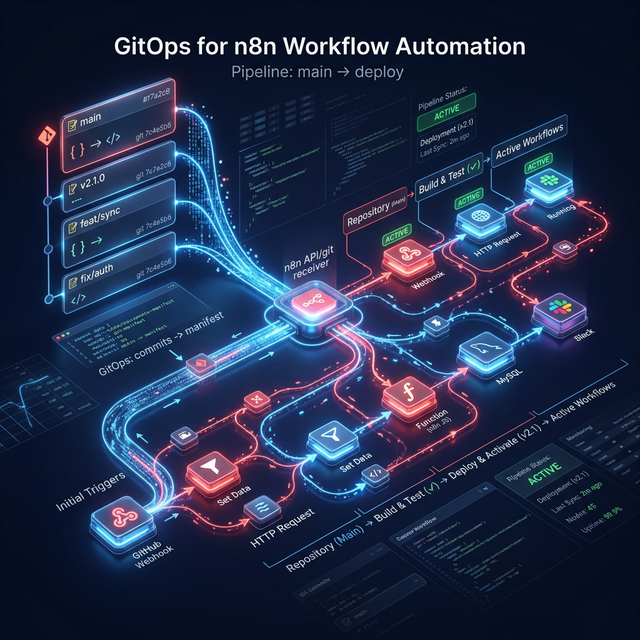
One of the most underappreciated architectural decisions in enterprise automation is whether workflow definitions should be treated as configuration, as code, or as data. In most organizations, n8n workflows exist in a strange middle category: they are created through a visual UI, stored in a database, and modified directly in production without any of the change-management safeguards that engineering teams apply to their application code.
This approach creates real risk. A mis-configured trigger in a production workflow can silently fail to process incoming events. A broken HTTP Request node update can cascade failures across dependent workflows. And unlike application code where a failed deployment triggers an immediate CI rollback, a broken n8n workflow change may not manifest as an obvious failure for hours or days — while events silently dropped, or incorrectly processed, accumulate in the background.
The answer is to treat n8n workflows as code. Specifically, as JSON files under Git version control, promoted through environments via automated CI/CD pipelines.
The Fundamental Insight: n8n Workflows Are JSON
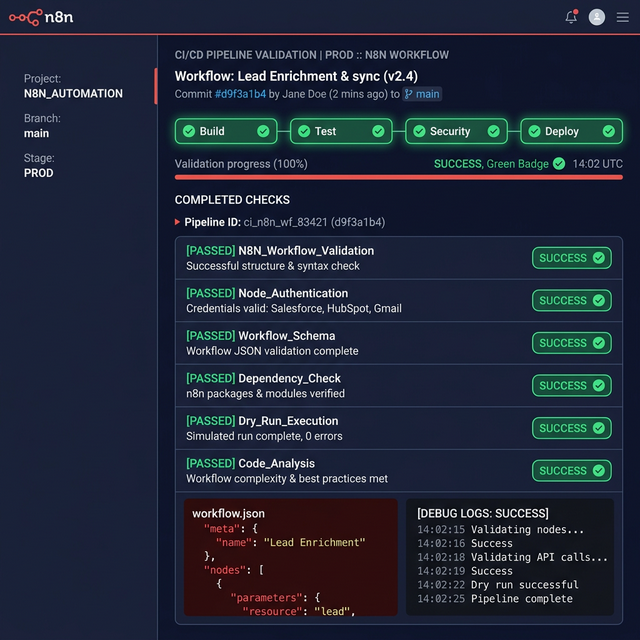
When you export a workflow from n8n — whether through the UI download function, the CLI export command, or the n8n Enterprise Git sync feature — what you receive is a JSON file. This JSON file contains the complete definition of the workflow: every node, every connection, every credential reference, every configuration value. It is deterministic and complete. It is also perfectly suited for version control.
This insight unlocks a straightforward GitOps pattern: all workflow changes happen first as modifications to JSON files in a Git repository. The Git repository becomes the single source of truth for all workflow definitions across all environments. The n8n instances in development, staging, and production are strictly consumers of the Git repository — they never have workflow definitions modified directly through their UI interfaces.
The Three-Environment GitOps Structure
Development Branch (develop): Individual feature branches merged here for initial testing. The development n8n instance automatically syncs from this branch. No production credentials; uses mock endpoints and webhook simulators.
Staging Branch (staging): Integration test environment. Changes are promoted here from develop after peer review. The staging n8n instance uses production-equivalent credentials but operates against sandbox/test accounts. Automated workflow validation runs against this environment.
Production Branch (main): Only changes that have passed staging validation are merged here. The production n8n instance syncs from main. All merges require explicit approval from a designated release manager. No direct UI edits permitted in the production instance.
Setting Up n8n Enterprise Git Sync
For n8n Enterprise deployments, the platform provides a native Git sync feature that connects an n8n instance directly to a Git repository. When configured correctly, workflow changes made through the n8n UI are committed and pushed to the connected Git branch in real time. Pulling from Git overwrites the local instance's workflow definitions with the content of the connected branch.
According to n8n's official documentation, push and commit operations happen simultaneously in n8n's Git integration model. This is an important operational detail: there is no "uncommitted state" in n8n Git sync. Every UI change is immediately written to Git. This makes branching strategy and environment separation the critical governance mechanism.
Automated Validation in the CI Pipeline
A key advantage of workflow-as-code is the ability to run automated validation before changes reach production. A GitHub Actions workflow triggered on pull request to the staging branch can apply the following checks:
- JSON Schema Validation: Verify that modified workflow JSON files conform to the n8n node schema. A malformed JSON file will not import cleanly and will cause import errors in the target environment.
- Credential Reference Audit: Ensure that all credential references in the workflow JSON correspond to credentials that exist in the target environment. Workflows referencing non-existent credentials will execute silently with authentication failures.
- Node Version Pinning Check: Verify that all nodes reference specific stable versions rather than floating references that may resolve to different behaviour after an n8n platform upgrade.
- Webhook Endpoint Registry Sync: For workflows exposing webhook endpoints, verify that the endpoint path does not collide with existing registered endpoints and update an internal endpoint registry that is used by downstream security monitoring.
Zero-Downtime Deployment with Blue-Green Workflow Execution
When deploying a workflow that is currently in active execution — processing a queue of incoming webhooks — a naive deployment approach that overwrites the workflow definition mid-execution will corrupt in-flight processing. n8n in queue mode mitigates this partially, as executing workflow instances continue to run against the version active at execution start. However, careful orchestration is required for high-throughput deployments.
For critical workflows, a blue-green deployment pattern is recommended: the new workflow version is deployed as a parallel workflow with a new webhook endpoint. Traffic is gradually shifted from the old endpoint to the new endpoint at the load balancer level. Once the old endpoint has drained — all in-flight executions have completed — the old workflow version is deactivated and removed. The new version becomes the production definition and its endpoint becomes the canonical webhook URL.
Citations & Reference Sources
Want to implement this in your business?
Book a free discovery call with Pratik directly. We'll map out where AI-driven automation can generate the highest ROI in your existing processes.